
Call For 24X7 Support 1888-720-0371 Toll Free

Home Printers
Office Printers
Home Office & Business
Printers On Sale

Reliable
Printer Repair & Maintenance Solutions

Printers, Inks & Complete Printing Solutions for Home & Business

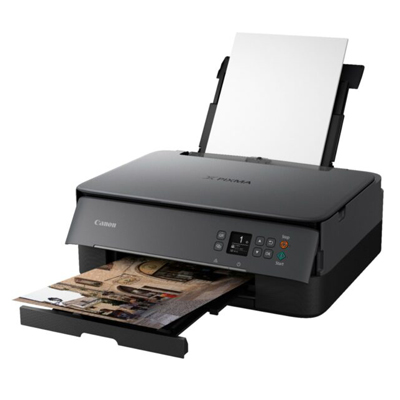
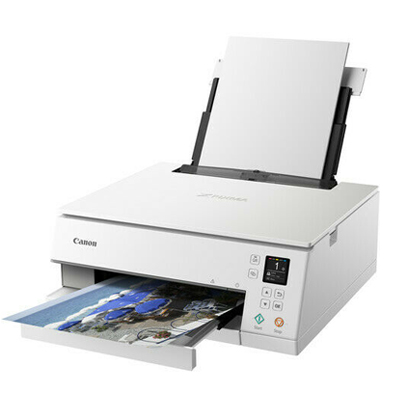
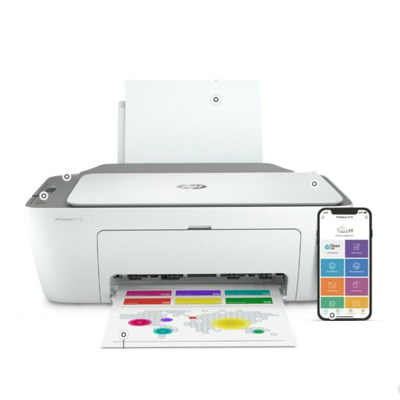
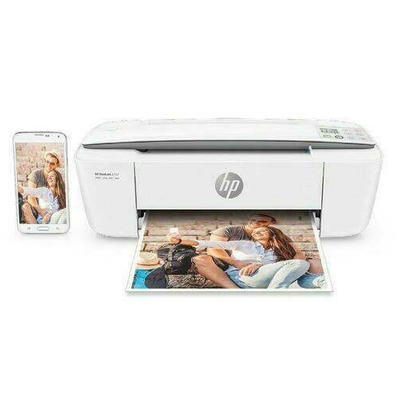
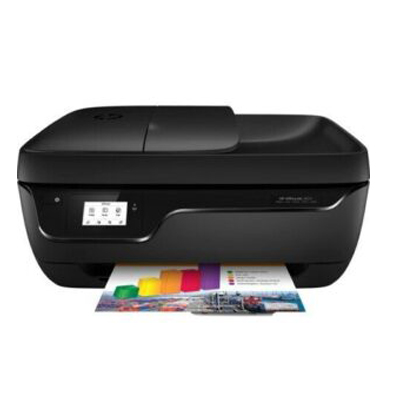
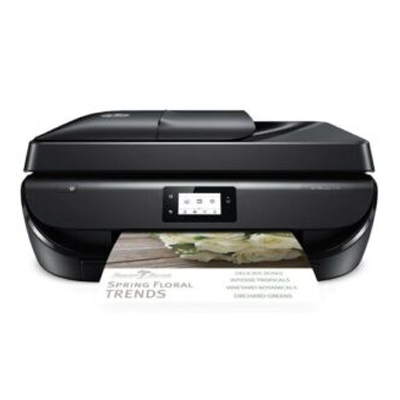
Discover the perfect printer for your needs – from wireless printers and all-in-one devices to portable, inkjet, and laser printers. We provide cost-effective printing solutions designed for both home and office use.

Our Products

Why Choose Us

Why Choose Us for Your Printer Needs?

Wide Selection – Printers for Every Budget

We offer a complete range of printers to match your needs and budget. Whether you are looking for an affordable home printer or a high-performance office printer, we have the right option for you. Our collection includes top brands like HP, Epson, Canon, and Brother, ensuring quality and reliability every time.

Best Prices – Guaranteed Savings

Thanks to bulk purchasing from our trusted vendors, we provide printers at the lowest online prices. The savings we enjoy are directly passed on to you, so you always get the best deals on printers in India. With us, you never have to worry about overpaying for your printing needs.

Fast & Reliable Delivery

We understand that you need your printer quickly. That’s why we ensure fast and secure delivery to your doorstep. With our efficient logistics network, you can count on us for on-time delivery across India, so you can start printing without delays.

Why We’re the Right Choice

Get In Touch

We are here to help you 7 days a week and respond within 24 hours.

FAQ

We are here to help you 7 days a week and respond within 24 hours. Plus,
you can find most answers to your questions right on FAQ page

NEW PURCHASE QUESTIONS

How do I choose the best printer?

The best printer depends on your printing needs. If you need a printer for home use, an inkjet printer is great for color photos and occasional documents. For office use or bulk printing, a laser printer is more cost-effective and faster. Key things to check include:

  • Print speed (PPM)
  • Cost per page (ink or toner expenses)
  • Connectivity options (Wi-Fi, USB, Bluetooth, Ethernet)
  • Extra features (scanning, duplex printing, mobile printing)

Tip: Always balance features with long-term running costs when buying a printer.

Should I buy a printer based on all the features I need?

Yes, choosing a printer should be based on the features that match your daily requirements. For example:

  • If you need wireless mobile printing, choose a Wi-Fi-enabled printer.
  • For photography or graphic design, select a high-resolution inkjet printer.
  • If you run a business, look for multifunction printers (MFPs) with scanning, faxing, and copying.

Avoid paying for features you won’t use, but make sure all your essentials are covered.

What is the difference between wireless and Ethernet printers?
  • Wireless Printers (Wi-Fi, Bluetooth):
  • Connects without cables
  • Supports printing from laptops, mobiles, and tablets
  • Perfect for home, small offices, and remote printing
  • Ethernet Printers (Wired Network):
  • Uses a cable for stable, fast connections
  • Ideal for large offices or businesses with multiple users
  • Ensures consistent speed and reliability for heavy printing

If you want flexibility, go wireless. If you need speed and stability, go Ethernet.

What is your shipping and return policy?

We provide fast and reliable shipping across India.

  • Order Processing: 24–48 hours after purchase
  • Delivery Timeline: Shown at checkout (varies by location)

Returns Policy:

  • Returns accepted within 7–14 days if the printer is damaged, defective, or not as described
  • Must be returned in original packaging with all accessories
  • Refunds or replacements are processed once the product is inspected

Check our full [Shipping & Return Policy page] for more details.

What is my warranty on printers?

All printers are covered by an official manufacturer warranty.

  • Warranty duration: 1–3 years (depends on brand and model)
  • Covers: Manufacturing defects and hardware issues
  • Not covered: Ink, toner, paper, or damage caused by misuse

For exact warranty coverage, please check the product page or manufacturer’s official website.

POST PURCHASE QUESTIONS

How do I set up a printer?
To set up a printer, follow these steps:
  • Unbox and connect the printer to a power source.
  • Install ink or toner cartridges and load paper in the tray.
  • Connect to your device:
    • For wireless printers, connect via Wi-Fi and install the printer driver/software on your PC or laptop.
    • For wired printers, use a USB or Ethernet cable.
  • Download drivers from the manufacturer’s website for the best compatibility.
  • Run a test print to confirm successful installation.
For the best printer setup in India (2025), always update firmware and drivers regularly.
How do I scan to my PC?
To scan a document to your computer:
  • Place the document on the scanner glass or feeder tray.
  • Open the printer software or scan app on your PC.
  • Select “Scan to PC” and choose the format (PDF, JPG).
  • Save the scanned file to your desired folder.
Most modern all-in-one printers support direct scanning to Windows and Mac PCs. Some also allow scanning directly to email or cloud storage.
How to replace an ink cartridge?
Here’s how to replace an ink cartridge:
  • Keep the printer powered on.
  • Open the cartridge access door (usually in the front).
  • Remove the empty cartridge carefully.
  • Unpack the new cartridge, remove protective tape, and insert it into the correct slot (color or black).
  • Close the door and let the printer align the cartridge.
Always use genuine printer ink cartridges to avoid print quality issues and maintain warranty.
Why can’t I print?
If your printer is not printing, common issues include:
  • Low or empty ink/toner cartridges
  • Paper jam inside the tray
  • Printer offline or not connected to Wi-Fi/USB
  • Outdated or missing printer drivers
  • Wrong default printer selected on your PC
Fix: Restart your printer, check connections, update drivers, and try again. If issues persist, contact printer repair support.
Do you offer repair services?
Yes, we provide printer repair services for both inkjet and laser printers. Our services include:
  • Cartridge and toner replacement
  • Fixing paper jams and hardware issues
  • Printer software and driver troubleshooting
  • Network and connectivity support
We also offer AMC (Annual Maintenance Contracts) for businesses to ensure smooth printing operations.

Subscribe to our newsletter and get the latest updates, offers, and insights delivered straight to your inbox.


    Betheme offers you convenient shopping experience at any scale

    Quick order

    Vitae adipiscing tu enean ligula nibhmolestie id viverra dapilo eleifend

    Free delivery

    Mauris in nonummy diam sodales wisi vel nonummy a, vestibulum iaculis

    50 day return

    Proin ultricies lobortis, varius eu, purus. Phasellus laoreet ligula at, consequat diam